Revisit the biggest reveals from MAX 2025 and explore the new releases that you haven’t seen yet.
With Adobe MAX 2025 behind us, the Fall of Features is officially wrapped—but the releases haven’t slowed down.
We moved major features from beta to general availability, introduced new enterprise capabilities, and shipped integrations that pull more of your creative workflow into Frame.io.
Before we turn the page to 2026, catch up on the product releases that shipped in October and November.
The upgraded Frame.io panel for Premiere is now generally available
Stay in your timeline, not your tabs
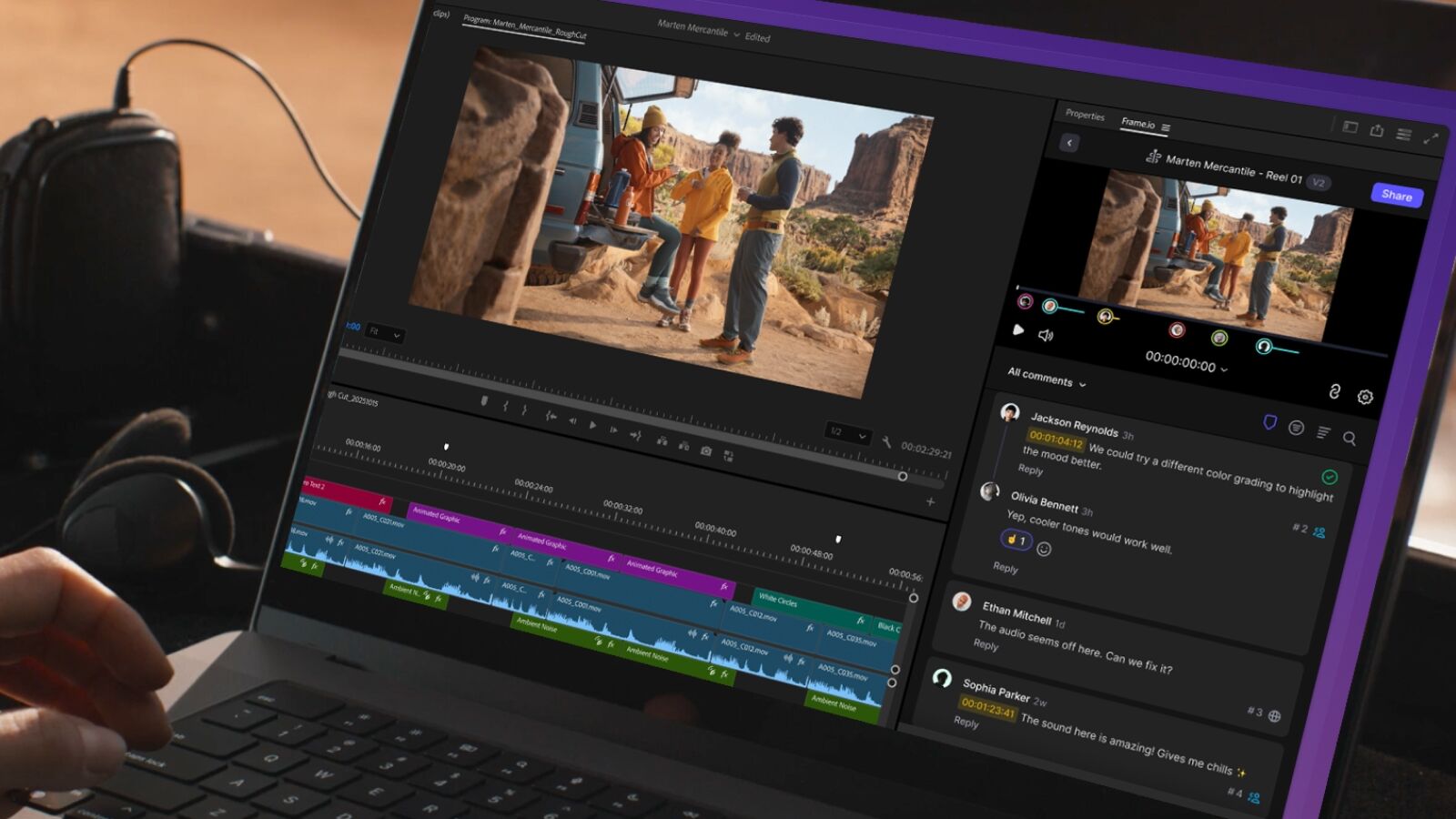
The most advanced Frame.io panel for Premiere has left beta and is now fully available for Premiere Pro 25.6.
Rebuilt from the ground up, it’s designed to keep editors in their timelines and in the zone. You can browse and manage projects, files, and folders in your Frame.io library, import media into your project bins (including full folder structures), share sequences for feedback, and review comments that sync back as markers on your Premiere timeline.
Plus, we’re already dropping quality-of-life improvements: the new default Sequences view makes it faster to export cuts, and batch imports now let you choose originals, high-res proxies, or low-res proxies so you can match media to your workflow.
Read the MAX recap for the upgraded Premiere panel →
Find the right asset faster with less reliance on tagging
The new search with media intelligence is ready for you to experience
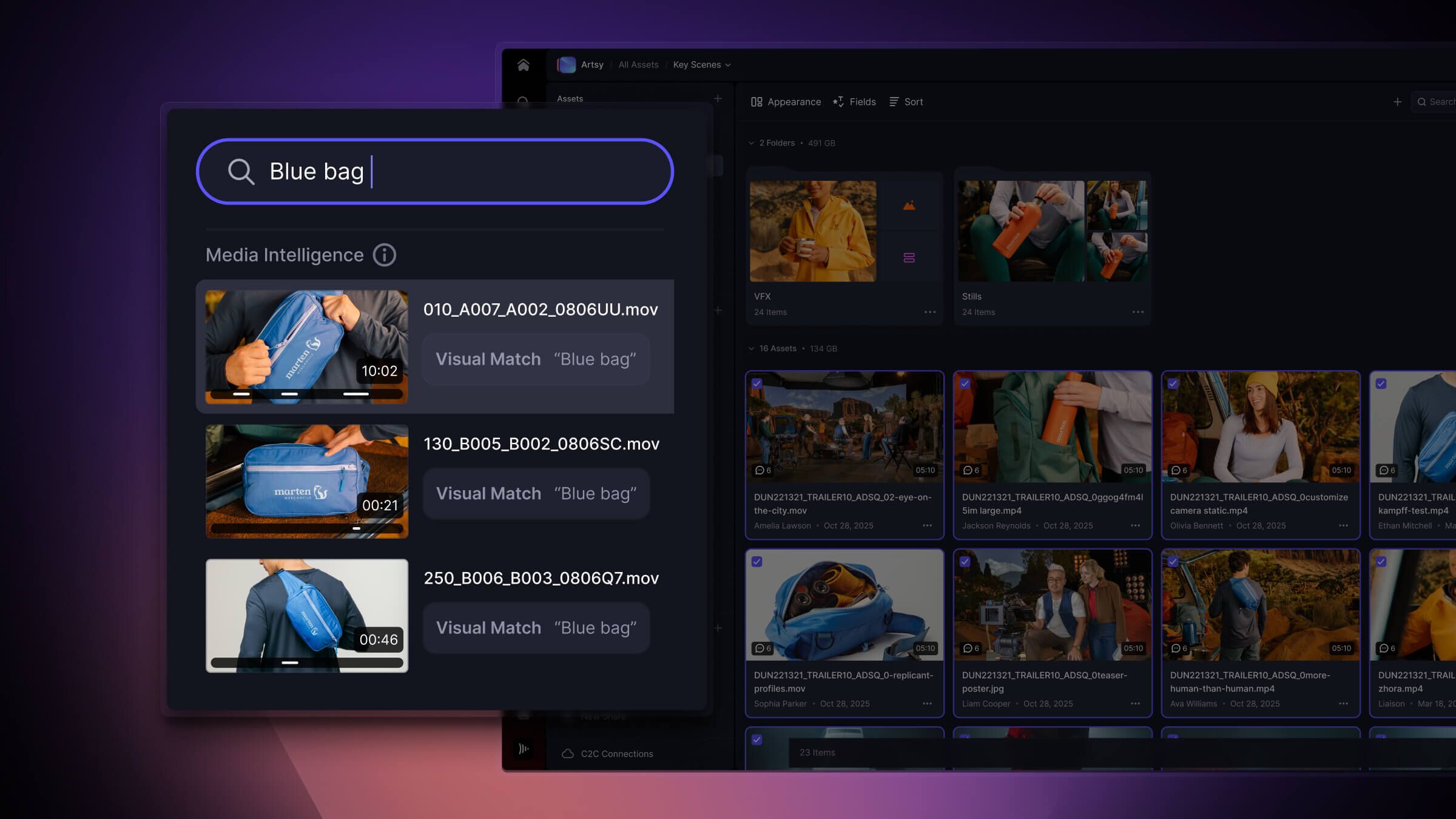
Search in Frame.io has been completely rebuilt with media intelligence. It’s designed to help you find both your media and the information around that media—like metadata, keywords, and filenames—without wrestling with your folder structure.
Find what you need using your own words
Now, if you’re on a paid Frame.io plan, you can type queries the way you talk to a teammate. Instead of remembering exact filenames, you might search for “Sunset clips of happy people, status is approved.” Frame.io uses natural language processing to map your request to relevant assets across clips, images, audio, and documents, drawing on metadata and other indexed fields to surface strong matches.
That means less time guessing how something was named and more time actually working with the content.
Visually locate moments, emotions, subjects, and objects
For Teams and Enterprise customers, visual search (beta) goes beyond text entirely. It analyzes the visual content of your footage so you can search by intent, not just by words. Looking for a specific type of shot or a similar scene you remember from a past project—but you forgot to tag it? Semantic search can surface visually related results even when your descriptions or labels aren’t perfect.
This is especially powerful when you’re working with large libraries, pulling selects from many hours of footage, or revisiting earlier campaigns.
Read our ultimate guide to the new search with media intelligence in Frame.io →
Note: By default, the new natural language processing behind search automatically indexes the last 30 days of new uploads so you can start using it right away. If you need to look back further than 30 days and index older content, we can manually set that up for you with an Enterprise plan. If you’re already on Enterprise, reach out to your customer success manager and we’ll set up historical indexing with you.
If you’re not a Frame.io Enterprise customer and want to index older content, you can connect with the sales team to explore plan options here →
See where your media comes from—and how it was made
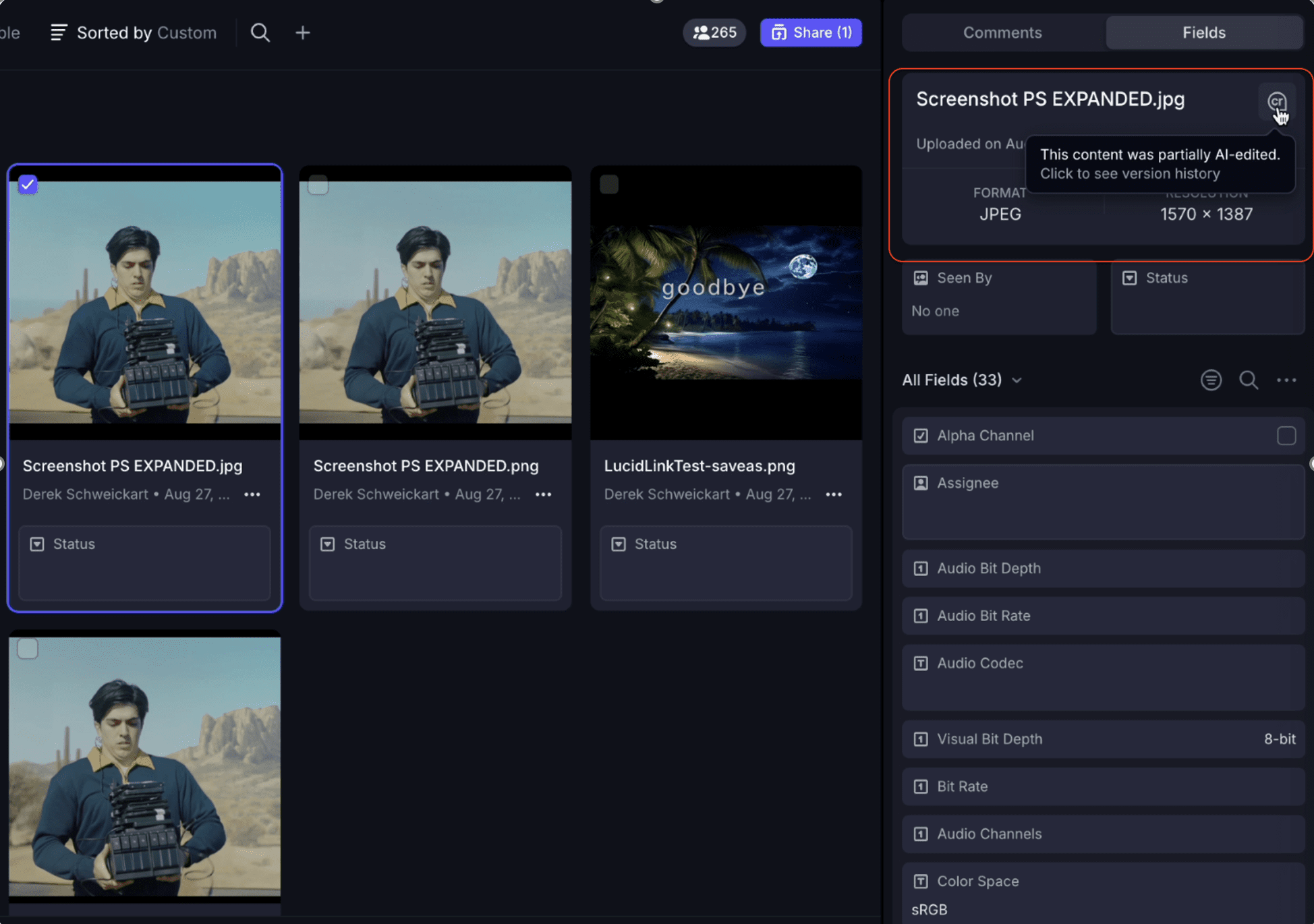
Released this October, the new Content Credentials feature makes it easy to view and verify the origin of media—including whether it was created with AI.
Upload assets from any source, and Frame.io automatically reads and preserves their credentials.
Find out more about Content Credentials here →
Enterprise security, scaling, and workflow updates
These updates focus on teams that need tighter control over sensitive content, more automation, and closer alignment between marketing and creative operations.
Lock down high-stakes content without slowing your team
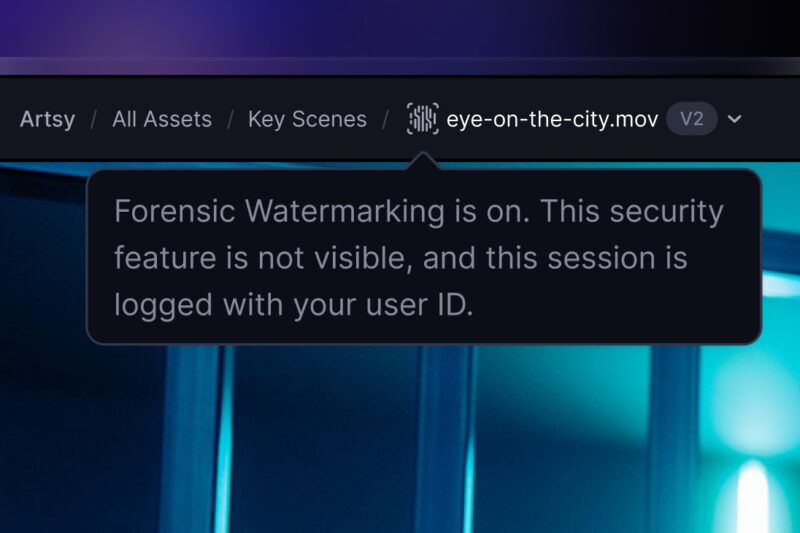
For Enterprise Prime customers and some legacy Enterprise plans, Forensic Watermarking and Digital Rights Management (DRM) are now fully available to give you stronger control over sensitive work.
Forensic Watermarking invisibly stamps each video with a unique, traceable signature for every viewer and every delivery. DRM adds another layer of protection that only allows authorized viewers to watch in supported browsers and Frame.io apps.
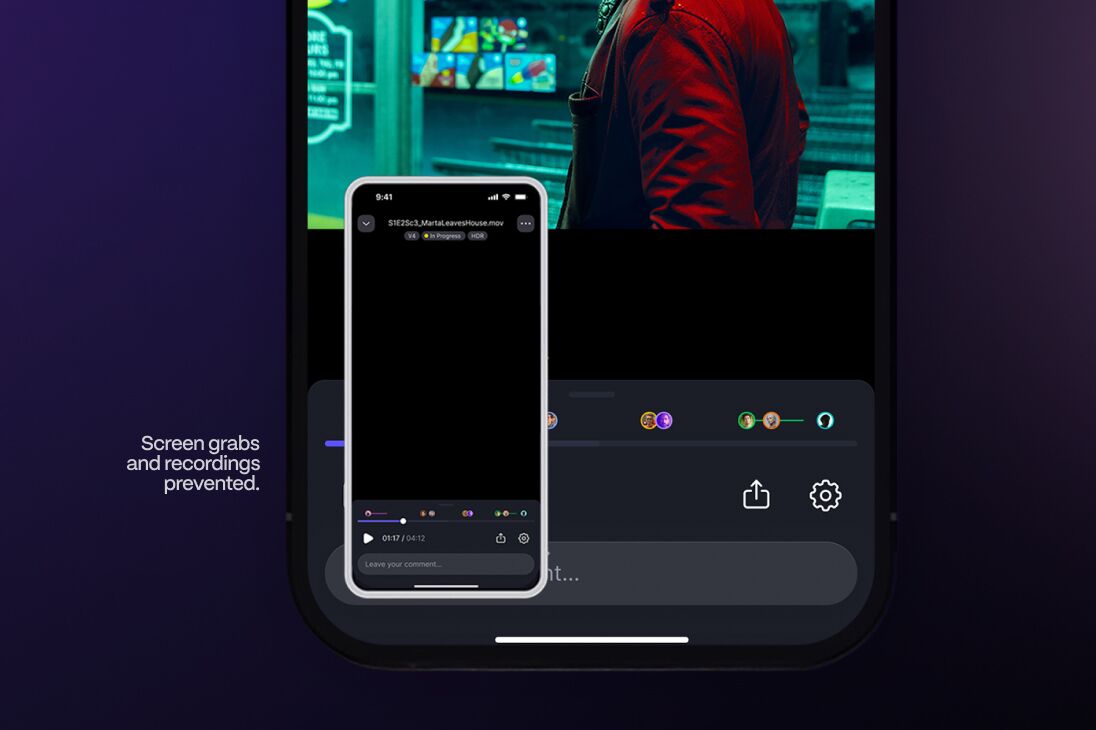
Together, these controls let studios, networks, agencies, and brands share work-in-progress more confidently—without grinding day-to-day collaboration to a halt.
Reframe, dub, and clean up content inside Frame.io
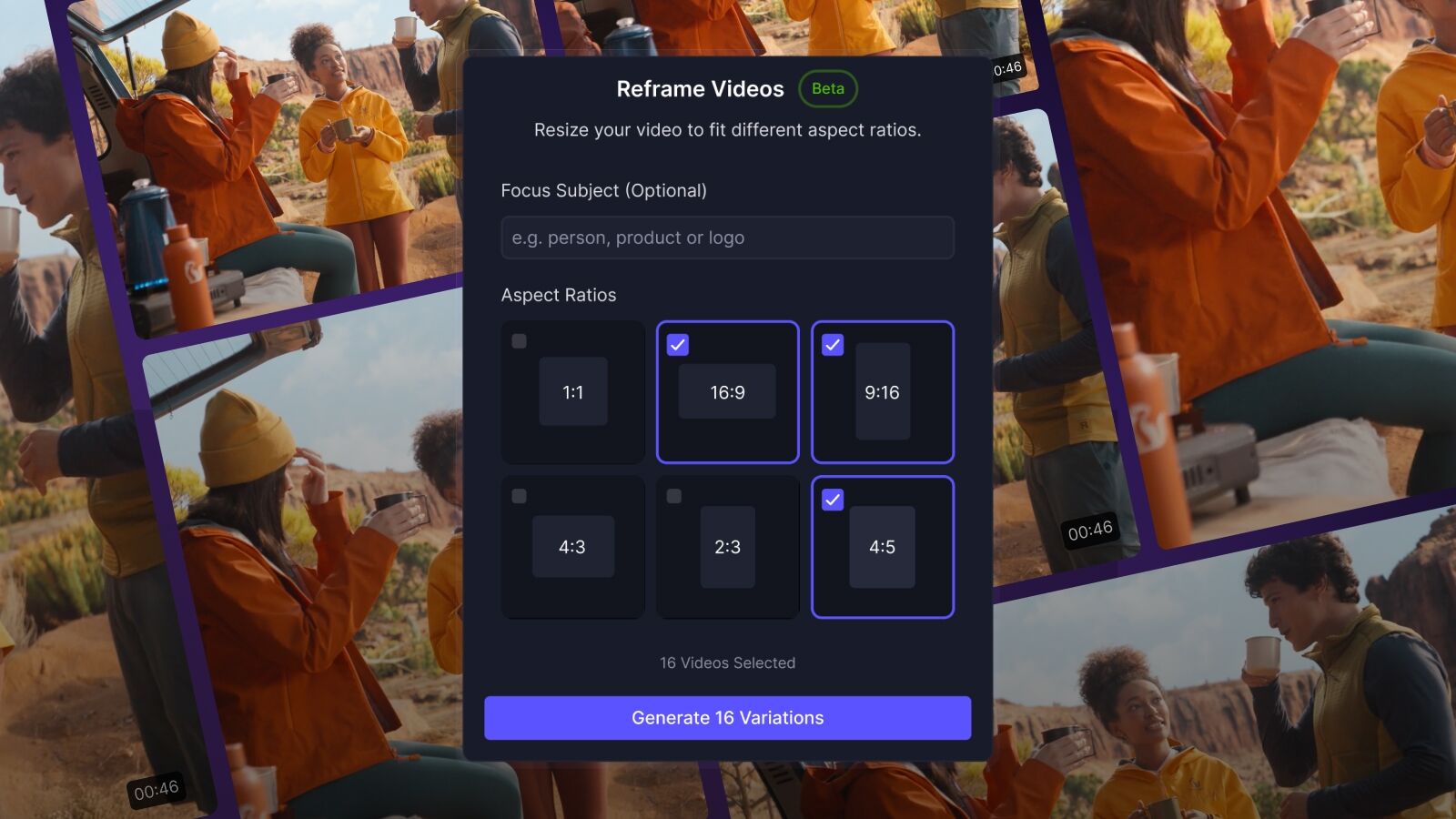
New Firefly Actions in Frame.io (beta) help Enterprise teams finish work in one place while working at scale.
- Reframe lets you quickly generate new aspect ratios for different platforms without rebuilding timelines from scratch.
- Dub uses Firefly to create multilingual versions in 17 supported languages, so you can localize content at the pace your campaigns demand.
- Remove Background gives you a fast way to clean up images for comps, thumbnails, and social graphics.
Because these actions live inside Frame.io, you can turn around variants, gather feedback, and iterate without constantly bouncing between separate apps and exports. An action can be triggered on one or 100 assets and are added in a new folder to keep your content organized.
Note: This feature is only available during the beta for Firefly Services customers.
Keep marketing & creative teams in sync
Unite your marketing and creative workflows across projects, users, and assets with the new Frame.io and Workfront integration. Available today for new Workfront customers—and coming in 2026 for existing customers.
Get more details about how Frame.io and Workfront work together →
Extend Frame.io’s abilities and possibilities
Integrations, APIs, and partnership updates
Across October and November, we also expanded how Frame.io connects with the tools you rely on every day—especially for audio and camera workflows.
Connect Frame.io to the rest of your stack without leaving the app
Webhooks settings (beta) are now available on the web to all Frame.io Version 4 users across all plan tiers.
Webhooks let Frame.io send push-style HTTP events—such as uploads, updates, or comments—to other systems in your workflow. Previously, you needed to configure these exclusively through the Version 4 API. Now, you can see, create, and manage webhooks from a dedicated settings page in the web app, which makes it easier for both developers and system admins to stand up connected workflows.
This unlocks event-driven integrations with tools like work management platforms (Workfront, Asana, Monday.com), MAMs/DAMs, or low-code connector tools like Zapier and Fusion, without building everything from scratch.
Build deeper integrations with less friction
The Frame.io Version 4 API has also seen key updates aimed at making integrations more precise and more responsive in the UI.
- Timecode-aware comments: Create, show, list, and update comment endpoints now support timecode, not just frame numbers, which makes it easier to work with systems that think in SMPTE or time-based formats.
- BYOS import (stable): New stable endpoints let you import files into Frame.io from storage locations configured on your account (BYOS), which is especially important for enterprises with established cloud storage architectures.
- Automatic app refresh: The Frame.io web app now automatically refreshes when certain operations are performed via the Version 4 API. When files are uploaded, imported, copied, or moved—or when folders, version stacks, or comments are updated—users will see those changes reflected in the UI without needing to manually refresh.
Partnerships that connect Frame.io to more of your world
Build on Frame.io faster with the new developer docs
In October, we previewed a brand-new Frame.io developer docs experience. That site is now live at next.developer.frame.io, along with updated TypeScript and Python SDKs to help you get from idea to first integration much faster.
The new docs are the primary resource for Version 4, legacy, and Camera to Cloud developers. They’re organized around real-world workflows, so it’s easier to see how authentication, uploads, comments, Shares, and other capabilities work together in Frame.io Version 4. With the TypeScript and Python SDKs, you can skip a lot of repetitive boilerplate and focus on wiring Frame.io into your existing tools and services.
To make exploration more intuitive, an Ask AI feature—trained on our documentation—helps you find the right endpoints, examples, and concepts without relying on perfect keywords. You can describe the problem you’re trying to solve, like syncing review status with another system, and get guided pointers into the most relevant docs.
Every endpoint now includes multi-language code samples, including Python, C#, cURL, Go, Java, PHP, Ruby, Swift, and TypeScript. That means different teams can reference examples in the language they’re most comfortable with, all from the same page.
We’re launching a developer newsletter to bring you the latest Frame.io and API updates in one place, keeping you informed on the changes that matter most as you build.
Stay in the know by subscribing to the Frame.io developer newsletter →
SoundFlow + Frame.io
Bounce audio directly from Pro Tools using SoundFlow 6, now natively embedded in the Pro Tools side panel, and automatically upload to Frame.io. You can choose your output bus, bounce and upload directly to Frame.io, and generate a Frame.io Share link with metadata, and even import markers back into Pro Tools.
It’s a big win for audio teams that want Frame.io’s collaborative review tools in their existing DAW workflows.
FUJIFILM X-T30 III + Camera to Cloud
Camera to Cloud support for the FUJIFILM X-T30 III—a compact, stills-first mirrorless camera with an EVF that supports RAW, JPEG, and HEIF formats. It automatically uploads to Frame.io via C2C API with the option to send directly to your connected Lightroom account.
image.canon + Frame.io Version 4
Upload videos or photos from your Canon cameras to image.canon, then automatically transfer them to Frame.io Version 4.
MASV + Frame.io Version 4
You can now send files directly from MASV to Frame.io Version 4 projects. Add Frame.io as a destination to any MASV Portal and you can collect large files from freelancers, vendors, and user-generated sources, then move them into Frame.io without extra steps. It creates a clean intake path for anyone outside your team and delivers their media straight into your project.
Sharing enhancements that keep reviews moving
Build polished Shares faster with a cleaner layout
The Share Builder has been redesigned and put in beta to make sharing feel faster and less intimidating. All the controls for appearance, fields, and sorting now live together in a streamlined panel on the right, so you’re not hopping around to find what you need.
Related settings are grouped into collapsible sections, which keeps the interface tidy while still giving power users access to deeper options.
Now, it’s easier to create consistent, on-brand Shares, and the layout sets you up for more customization in the future.
Single-click viewing for smoother reviews
We’ve also updated the Share Viewer pages so now assets and folders open with a single click or tap.
That sounds small, but it removes a surprising amount of friction—especially on mobile—where double-clicking doesn’t feel natural. Viewers now click once and immediately see the work, rather than wondering if anything happened.
The goal is simple: make it more likely that people open what you’ve sent, watch it, and respond with feedback.
See Share engagement at a glance
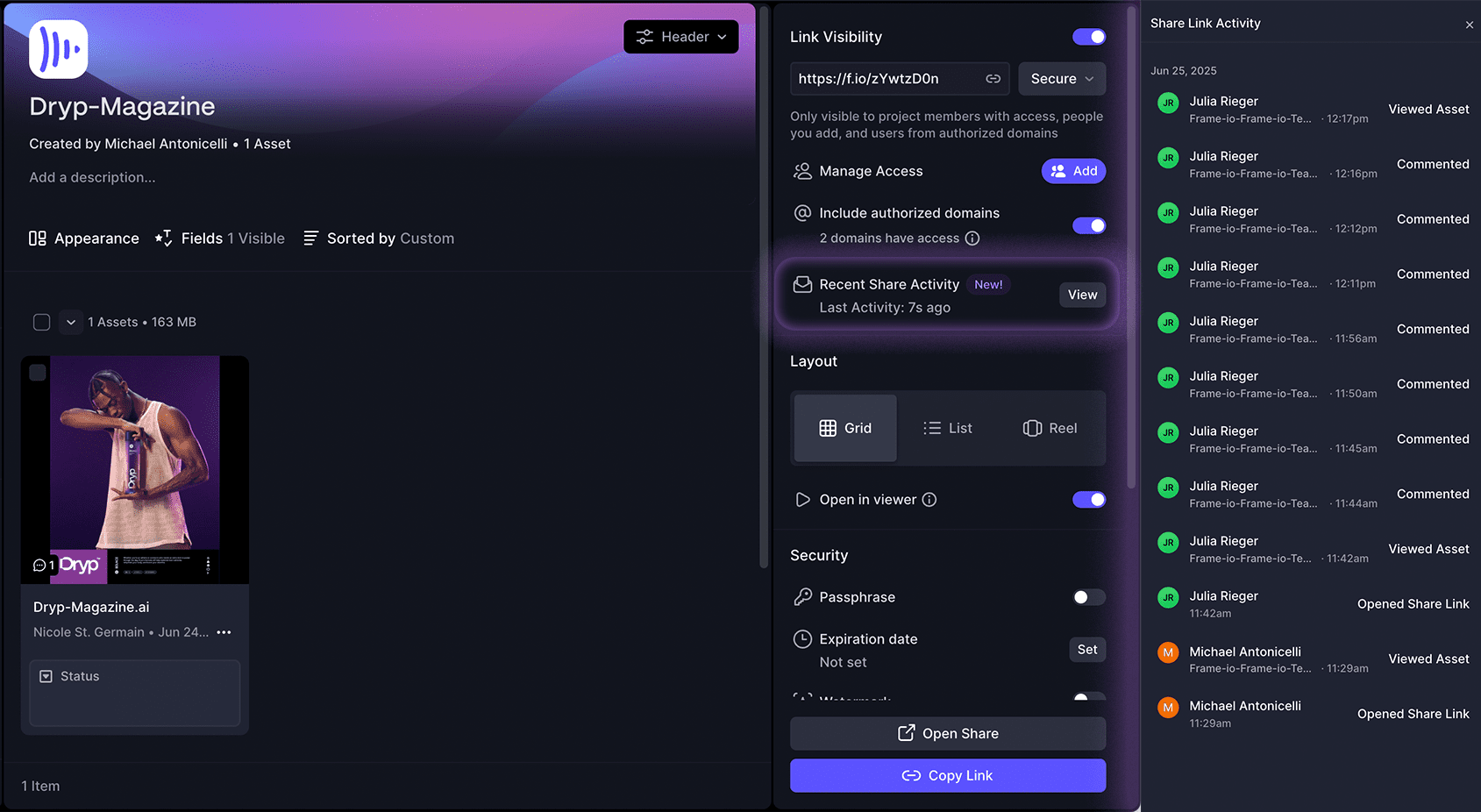
If you haven’t tried it yet, Share Activity helps you understand how your Shares are performing:
- See whether a Share was opened.
- Understand which assets were viewed or downloaded.
- Spot if comments were left, so you know when feedback has landed.
That context means fewer “just checking in” messages and clearer next steps with stakeholders. And because privacy controls matter, users can configure opt-out behavior to make sure Share Activity respects your organization’s policies.
App, performance, and improvements
Auto-detect your spoken language for better transcripts
We’ve added a new Auto option for transcriptions. When enabled, Frame.io will detect the spoken language in your asset and match the transcription language automatically.
This reduces setup time, especially for teams working with multilingual content or mixed-language projects.
Big performance leaps in the Frame.io iOS app
Frame.io iOS app performance has also taken a major leap. For the largest accounts with hundreds of workspaces, cold launches have seen up to a 30x increase in perceived performance.
We’ve also improved the move/copy flow:
- You can now view a full list of workspaces and projects without excessive scrolling.
- Lists are truncated and optimized, with a local search filter to jump directly to the project you need.
More reliable long-running transfers with better security
The latest Transfer App v1.10.0 release focuses on reliability and support for newer security features:
- Fixed issues where transfer jobs would fail after ~8 hours with “unauthenticated” errors.
- Resolved a bug where the UI wouldn’t update after a successful upload.
- Addressed large files incorrectly reporting as failed due to a too-short timeout window.
- Shipped four critical-severity dependency updates for improved security.
- Added support for DRM and Forensic Watermarking for Frame.io Version 4 accounts.
- Added support for downloading HTML assets via Transfer.
If you rely on Transfer for big overnight jobs or large, multi-terabyte deliveries, these changes should make your workflows feel more predictable.
Lots of small changes that make every day smoother
We also shipped a long list of bug fixes and quality-of-life improvements across Frame.io. These cover everything from minor visual polish to edge-case behaviors in large, complex projects.
Rather than listing them all here, you can dive into the detailed Frame.io release notes for a full breakdown of what changed.
Wrapping the Fall of Features—and setting up what’s next
With Adobe MAX 2025 in the rearview mirror, the Fall of Features is officially complete—but the impact of these releases is just starting to show up in day-to-day workflows. Editors get a Premiere panel upgrade, users on paid plans gain smarter search, reviewers have easier sharing, and Enterprise teams can lean on stronger security and tighter integrations across their stack.
As we head toward 2026, we’ll keep helping you get more value out of what’s already shipped—faster reviews, clearer visibility into work, and more confident sharing of high-stakes content—while continuing to roll out new features, updates, and big announcements.
If you’re new to Frame.io, you can try Frame.io for free and see how it fits your team’s workflows.
And if you’re ready to explore what Frame.io Enterprise plans can unlock, you can connect with an expert to talk through your options.